> ## Documentation Index
> Fetch the complete documentation index at: https://autorender.io/docs/llms.txt
> Use this file to discover all available pages before exploring further.
# Overview
> Pick the Autorender SDK for your stack — front-end components for rendering optimized media, backend clients for uploads and file management.
Autorender ships **11 SDKs** across two jobs: rendering optimized images and video in the browser (ViewTag), and uploading and managing files from your app or server (Upload). Every front-end SDK is built on `@autorender/js`.
You can use an Autorender SDK to:
* Render responsive, lazy-loaded `![]() ` and video with transforms applied at the URL.
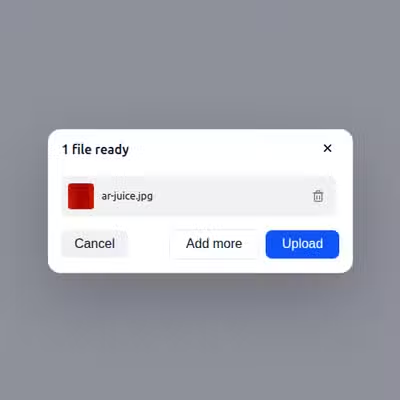
* Add a drop-in upload widget to your app, with camera and local-file sources.
* Upload files from your server and generate delivery URLs in code.
* Create, rename, and delete files and folders programmatically.
The URL API needs no SDK — you can build delivery URLs by hand. See the [Introduction](/docs/introduction). Reach for an SDK when you want prebuilt components, uploads, or a URL builder.
## Front-end
Components for responsive images, lazy loading, device-pixel-ratio handling, and uploads.
``, ``, and the upload widget for React apps.
`` on top of `next/image`, plus config and upload helpers.
Vue 3 components and a Vite plugin for video support.
Standalone components and an injectable service for Angular.
Svelte components and an uploader action.
The core SDK every framework adapter is built on.
## Backend
Server-side clients for uploads, file management, folder operations, and URL generation.
Upload files and manage folders from Node.js **18+**.
The `autorender` package for Python **3.8+**.
`io.autorender:autorender-java` for Java **8+**.
The `Autorender` package for .NET **6+**.
The `autorender` gem for Ruby **3.0+**.
## Next steps
Every transform parameter the SDKs accept, with examples.
The upload endpoint every backend SDK calls under the hood.
` and video with transforms applied at the URL.
* Add a drop-in upload widget to your app, with camera and local-file sources.
* Upload files from your server and generate delivery URLs in code.
* Create, rename, and delete files and folders programmatically.
The URL API needs no SDK — you can build delivery URLs by hand. See the [Introduction](/docs/introduction). Reach for an SDK when you want prebuilt components, uploads, or a URL builder.
## Front-end
Components for responsive images, lazy loading, device-pixel-ratio handling, and uploads.
``, ``, and the upload widget for React apps.
`` on top of `next/image`, plus config and upload helpers.
Vue 3 components and a Vite plugin for video support.
Standalone components and an injectable service for Angular.
Svelte components and an uploader action.
The core SDK every framework adapter is built on.
## Backend
Server-side clients for uploads, file management, folder operations, and URL generation.
Upload files and manage folders from Node.js **18+**.
The `autorender` package for Python **3.8+**.
`io.autorender:autorender-java` for Java **8+**.
The `Autorender` package for .NET **6+**.
The `autorender` gem for Ruby **3.0+**.
## Next steps
Every transform parameter the SDKs accept, with examples.
The upload endpoint every backend SDK calls under the hood.