

We maintain SDKs for various front-end, back-end, and mobile platforms and have listed plugins in marketplaces like WordPress, Magento, etc. The following quick start guides will help you integrate AutoRender using SDKs.Documentation Index
Fetch the complete documentation index at: https://autorender.mintlify.app/llms.txt
Use this file to discover all available pages before exploring further.
Backend
Server-side SDKs provide full access to the AutoRender API — file uploads, multipart uploads, folder management, and more.Node.js / TypeScript
npm install @autorender/nodejsPython
pip install autorenderC# / .NET
dotnet add package AutorenderRuby and Java SDKs are coming soon.
Front-end
Front-end guides cover the following media use cases:- Loading optimized images & videos.
- Basic resizing & cropping of images & videos.
- Adding text & image overlays.
- Using chained transformations to apply multiple transformations in a single request.
- Lazy loading images.
- Low-quality image placeholders.
- File upload, tagging, and metadata operations.
Upload SDK
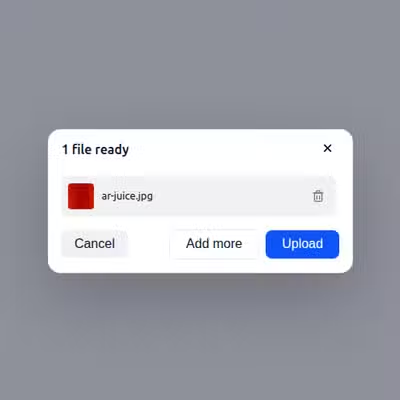
AutoRender provides a powerful, easy-to-integrate Upload SDK that handles everything from file selection to real-time progress tracking. It works as a plug-and-play component for any web application, allowing your users to upload media assets directly to your workspace with minimal configuration.
View SDK
The View SDK (also known as ViewTag) replaces standard HTML image tags with intelligent components. It automatically handles complex tasks like generating responsive image sets, managing Device Pixel Ratio (DPR), and implementing advanced lazy loading. By using the View SDK, you ensure that your media is always optimized for the user’s specific device and connection. Choose your technology to get started with AutoRender:Angular
JavaScript
Next.js
React
Svelte
Vue.js
All front-end SDKs use the AutoRender JavaScript SDK. For more control and customization, use the JS SDK directly in your application.