

r_ parameter. Pass an angle in degrees, or use r_auto, r_portrait, or r_landscape to orient the image automatically.
Angles are normalized to the 0°–360° range, so
r_450 is treated as r_90. Positive values rotate clockwise; negative values rotate counter-clockwise.How does it work?
You addr_{degrees} to the transform segment. Autorender rotates the image around its center point and expands the canvas to fit the rotated result. Transparency is preserved for formats that support it, such as PNG and WebP.
- Original (r_0)
- Rotate 90°
- Rotate 180°
- Rotate 270°
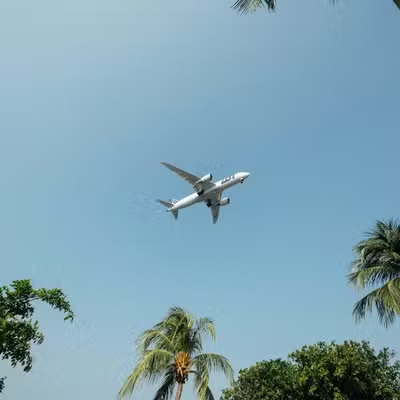
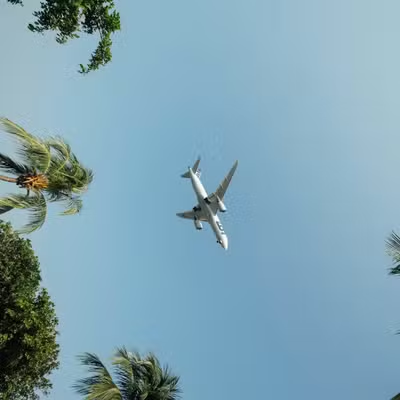
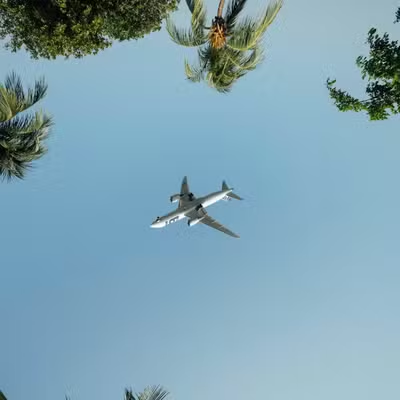
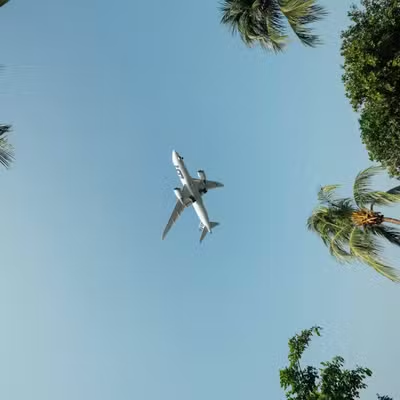
How to auto-orient an image?
r_portrait and r_landscape force a target orientation regardless of how the photo was captured, which keeps galleries and product grids consistent. Autorender reads the image dimensions and applies the rotation needed (90°, 270°, or 0°) while preserving the original aspect ratio.
- Original
- Force portrait (r_portrait)
- Force landscape (r_landscape)



How to combine rotation with other transforms?
- Apply rotation before cropping so the crop acts on the rotated frame; for exact output dimensions, pair
r_withc_croporc_fill. - Autorender preserves transparency when rotating PNG and WebP images, so rotated logos keep clean edges.
Next steps
Flip
Mirror an image horizontally or vertically with
flip_.Crop
Fix output dimensions after rotation with a crop mode.
Resize and aspect ratio
Set the width and height the rotated image renders at.
Recipes
Save rotation combinations as reusable
t_ tokens.