

@autorender/js.
You can use an Autorender SDK to:
- Render responsive, lazy-loaded
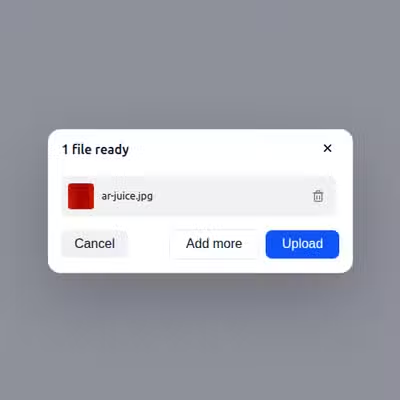
<img>and video with transforms applied at the URL. - Add a drop-in upload widget to your app, with camera and local-file sources.
- Upload files from your server and generate delivery URLs in code.
- Create, rename, and delete files and folders programmatically.
The URL API needs no SDK — you can build delivery URLs by hand. See the Introduction. Reach for an SDK when you want prebuilt components, uploads, or a URL builder.
Not building with a framework? Autorender Native adds responsive, lazy-loaded images to any site from a single script tag — no build step and no SDK.
Front-end
Components for responsive images, lazy loading, device-pixel-ratio handling, and uploads.
React
<ARImage>, <ARVideo>, and the upload widget for React apps.Next.js
<ARImage> on top of next/image, plus config and upload helpers.Vue.js
Vue 3 components and a Vite plugin for video support.
Angular
Standalone components and an injectable service for Angular.
Svelte
Svelte components and an uploader action.
JavaScript
The core SDK every framework adapter is built on.
Backend
Server-side clients for uploads, file management, folder operations, and URL generation.Node.js / TypeScript
Upload files and manage folders from Node.js 18+.
Python
The
autorender package for Python 3.8+.Java
io.autorender:autorender-java for Java 8+.C# / .NET
The
Autorender package for .NET 6+.Ruby
The
autorender gem for Ruby 3.0+.Next steps
Image transformations
Every transform parameter the SDKs accept, with examples.
Direct upload API
The upload endpoint every backend SDK calls under the hood.